The Org Chart Trap: How to Organize AI Skills and Agents
Install enough skills and your AI quietly stops using them. Give every agent a job title and they start contradicting each other. I read the most popular agent setups on GitHub, the open issues, and the benchmarks to see what actually works — six setups, their pros and cons, and the one I would start with today.
Somebody filed a bug report that I keep thinking about. They had a nice collection of skills installed in Claude Code — little playbooks, each one teaching the AI how to do a specific job well. They asked for one of those jobs. And instead of opening the playbook written exactly for it, Claude wrote a fresh ad-hoc script from scratch, as if the skill did not exist.
From the model's point of view, it didn't. The list of skills had grown past the budget the tool reserves for it, and the descriptions — the only part the model reads before choosing — had been silently cut. The skill was still on disk. It just had no name tag anymore. (anthropics/claude-code#64606)
That story is the whole problem in miniature. We collect skills like apps on a phone, and we build agents like we are hiring a company: a CTO, a head of marketing, a coach, a strategist. It feels organized. And it quietly works against us.
I started with a simple hunch. Wouldn't it be cleaner if skills weren't available to everyone, but belonged to specific agents — the way tools belong to a specific workshop? So I did what I now do with every question like this: I sent three research agents out in parallel. One cloned and read thirteen of the most popular agent setups on GitHub. One went through practitioner write-ups and Hacker News threads. One compared how the big agent frameworks handle the same problem, and pulled the benchmark numbers.
The hunch turned out to be half right. Here is what came back.
First, how a skill actually reaches the model
A skill is a folder with a SKILL.md file. At the top sits a short header:
---
name: release-notes
description: Write release notes from merged PRs. Use when the user asks
  for a changelog, release notes, or "what shipped this week".
---
At the start of every session, the model doesn't see your skills. It sees a list: every skill's name and description. Only when it decides a skill fits does it load the full instructions. This is called progressive disclosure, and it's a good design — a hundred playbooks cost you a hundred short lines, not a hundred documents.
But the list has a budget. In Claude Code it is about 1% of the context window, and each entry is capped at 1,536 characters. When the list overflows, the descriptions of your least-used skills are dropped first. The names stay. The meaning goes. (docs)
How fast does that bite? One small experiment installed 160 dummy skills: Claude Code kept descriptions for about 20 of them, and the model found zero of three skills that were listed by name only (Rulestack). Tiny sample, synthetic names — but it matches the bug reports. Vercel ran a cleaner eval on their own framework docs and found the skill was never invoked in 56% of cases (Vercel).
So rule number one: a skill that isn't described is a skill that doesn't exist.
There are three switches that decide who can see a skill:
| Header | You can call it (/name) | Model picks it alone | Costs list space |
|---|---|---|---|
| (default) | yes | yes | yes |
user-invocable: false | no | yes | yes |
disable-model-invocation: true | yes | no | no |
Notice the trap in the middle row. Hiding a skill from yourself doesn't make the model's list any shorter. If your goal is focus, the switch that matters is the last one — or not installing the skill at all.
Six setups people actually run
Every popular repo I read has picked one of these, often without saying so. None of them is wrong. Each one fails in a predictable way.
1. The Drawer — everything global
You find a great catalog, run the installer, and now you have three hundred skills. Most big collections start here: catalogs with installers, mega-bundles with "install everything" profiles.
Pros: zero thinking. Everything is one slash away. Cons: the list overflows, descriptions get cut, and the model stops finding things. You pay for skills you've never read. A Hacker News commenter put it bluntly — people bulk-install bundles worth fifty thousand tokens they don't understand (HN).
Tellingly, the biggest bundles now warn against themselves. One of the most-starred setups, with hundreds of skills, ships install profiles — minimal, core, developer — and advises starting with the common rules plus one pack you actually use (ECC).
2. The Router — one front door
Instead of listing seventy skills, you list one: a hub that knows where the others live.
---
name: gstack
description: Router for the gstack skill suite.
triggers:
  - gstack
  - which gstack skill
---
That's from garrytan/gstack, which measured it: listing all skills took about 18,000 characters and got truncated; the router mode took about 6,700. BMAD-METHOD does the same with a bmad hub skill.
Pros: the list stays short; one good description routes to many.
Cons: one extra hop, and the router has to stay current. Put the sub-skills in a references/ folder the router points to, not in a pasted list — as gstack notes, a pasted list goes stale.
3. The Workshop — skills that carry their own agents
This one was the closest to my original hunch, and the most elegant thing I found. One of the most-starred skill collections on GitHub, obra/superpowers, ships zero agent definitions. Instead, the subagents live inside the skill that uses them:
skills/subagent-driven-development/
  SKILL.md                 ← the controller: one fresh worker per task
  implementer-prompt.md    ← an "agent" that exists only here
  task-reviewer-prompt.md  ← and its reviewer
The skill dispatches a fresh implementer per task, then a reviewer, with handoffs written to files instead of pasted into the conversation. Anthropic's own skill-creator does the same: a grader, a comparator and an analyzer as private files the skill reads only when it needs them.
Pros: the agents are truly private. Nobody else sees them, and they cost nothing in any other session. Cons: they aren't reusable across skills, and you lose the nice features of a real agent definition — its own tool list, model, permissions.
The superpowers notes contain two lessons worth stealing. One dispatch was 42,000 characters, and 99% of it was pasted history — so artifacts travel as files. And workers are forbidden from spawning their own reviewers, because every reviewer a worker spawned just duplicated the review the controller ran anyway.
4. The Toolbox — plugins as the unit
A plugin bundles agents, skills, hooks and tool servers into one installable package. wshobson/agents splits about two hundred agents into ninety-four plugins, averaging five or six components each, with the motto install only what you need. Anthropic's official plugins are small too — one to nine agents each.
The best first-party example of scoping is Anthropic's security plugin. The skill declares exactly which agents it may call:
# skills/claude-security/SKILL.md
allowed-tools:
  - Agent(claude-security:scan-inventory, claude-security:scan-verifier, ...)
and the verifier agent declares what it may call:
# agents/scan-verifier.md
description: Restricted read-only verifier ... not for direct invocation.
tools: Read, Glob, Grep, Bash, Agent(claude-security:explore)
Pros: this is real scoping. A skill lives in the same box as the agents that use it, and you turn whole boxes on and off per project.
Cons: you are now maintaining packages. And the fine print is still moving: open issues report that nested Agent(...) allowlists are sometimes ignored (#92259), and that settings for hiding skills don't reach plugin skills yet (#98220).
A note on the obvious alternative. Claude Code agents have a skills: field, and it looks like exactly the scoping I wanted:
---
name: release-manager
skills: [release-notes, changelog-style]
---
It isn't. It preloads those skills' full text into the agent at startup — it doesn't take them away from anyone else. The docs say it controls preloading, not access (docs), agent teams ignore it entirely, and the request to hide a skill from the main session is still an open issue (#12633). Across the thirteen repos I read, I found zero real uses of it.
5. The Org Chart — agents with job titles
This is the setup everyone builds first, because it maps onto how we already think about work. A CTO agent. A marketing agent. A product manager. A coach.
---
name: cto
description: Chief Technology Officer. Owns architecture, code quality,
  deployments and engineering decisions.
---
It feels like delegation. The evidence says it mostly isn't.
Anthropic's own guidance from January is direct: split work by context boundary, not by role. Planner–implementer–tester splits turned into a game of telephone, each handoff losing detail (Anthropic). On Hacker News, people who tried PM and backend-developer personas reported they did worse than a single generic agent, and one comment summed it up as build agents around tasks, not job titles (HN). A writer who ran seven role agents found they produced decent drafts that never saw each other's work — the product agent cut a feature the data model still assumed, and merging the contradictions fell to the human. The most valuable agent of the seven was the adversarial reviewer (Rezvani).
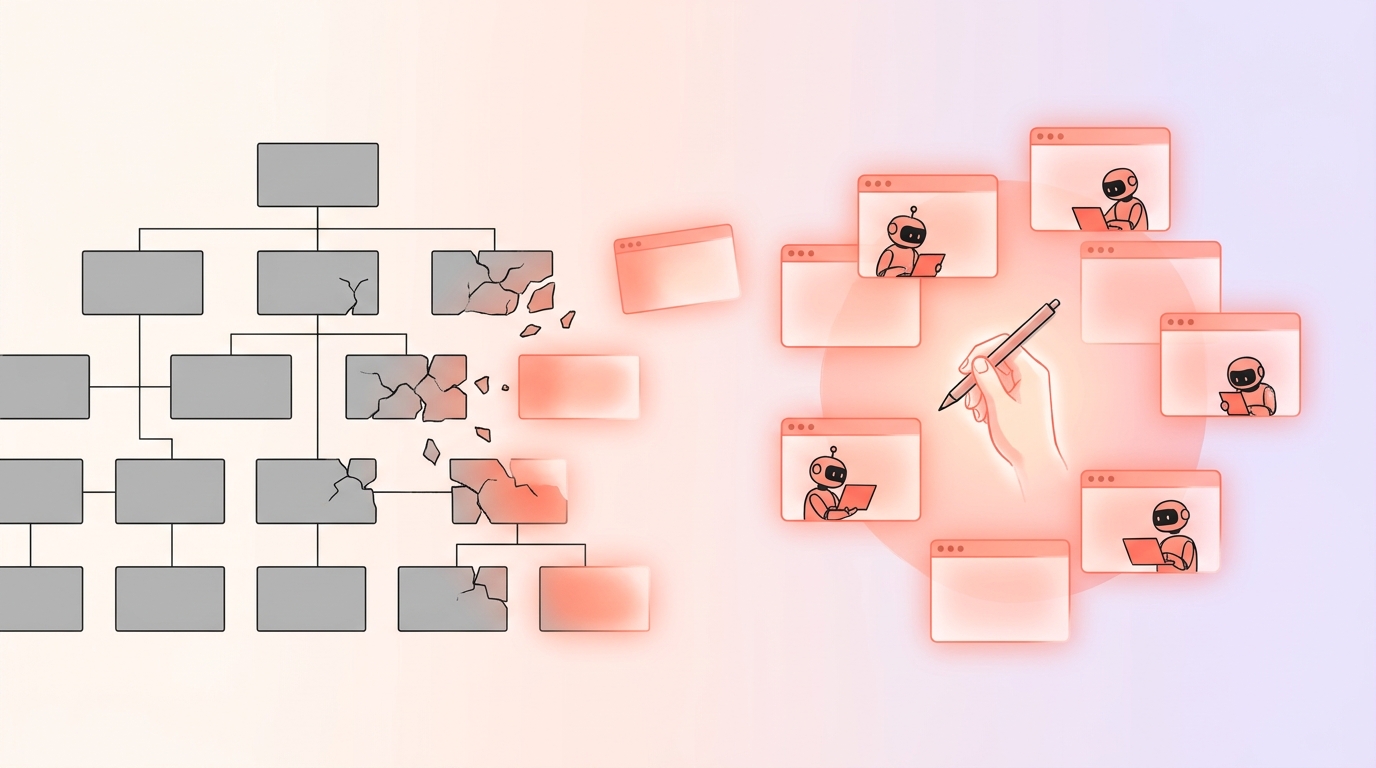
Why? An org chart is a solution to human limits: we can't hold a whole company in our heads, so we split it by expertise. A model already has the expertise. Its limit is different — it's context. Splitting by title cuts context in exactly the wrong places.
Pros: easy to explain, easy to route ("ask the CTO"). Cons: shallow specialists, lost context, contradictions you have to merge yourself.
If you love the personas, there's a cheaper way to keep them: make them skills. BMAD ships no agent files at all; "John, the Product Manager" is a skill the main agent puts on like a hat, with the whole conversation still in view.
6. The Swarm — agents that talk to each other
At the far end: many agents, running at once, messaging each other, claiming tasks from a shared list. Claude Code has an experimental agent teams mode for this; repos like ruflo (formerly claude-flow) build hive-minds with a queen coordinator and shared memory.
Sometimes this is spectacular. Anthropic had sixteen agents write a C compiler with no orchestrator at all — each one took a lock file on a task and merged through git. It cost about $20,000 in tokens, and the single biggest lesson was that it only worked because of a near-perfect test suite. When all agents worked on one big task, they all hit the same bug and overwrote each other (Anthropic).
One engineer used an agent team to investigate a production incident: root cause in about ten minutes instead of an estimated thirty to forty-five, for three to four times the cost (magarcia). Worth it for an outage. Not for a typo.
Pros: real parallelism; agents can challenge each other's hypotheses. Cons: tokens scale with the number of agents, coordination eats the gains on anything sequential, and as one review of a popular swarm framework put it, design becomes the bottleneck (Maggie Appleton). Even the frameworks are retreating: one popular setup removed its swarm skill in favor of small teams, and deleted a team bridge because nothing ever used it (oh-my-claudecode).
How to wire agents together
Strip away the branding and every framework — Claude Code, OpenAI's Agents SDK, LangGraph, CrewAI, Google's ADK — offers the same four shapes:
| Shape | How it works | Use it when |
|---|---|---|
| Orchestrator → workers | One agent hands out tasks, workers return summaries | Subtasks are independent, or produce a lot of noise |
| Handoff | A triage agent passes the conversation to a specialist | The specialist should talk to the user directly |
| Hierarchy | Orchestrators of orchestrators | One coordinator would face too many workers |
| Peer team | Agents message each other and share a task list | Competing hypotheses, writer–reviewer loops |
The numbers on when this pays off are surprisingly consistent:
- Anthropic's multi-agent research system beat a single agent by 90% on research tasks — while using about 15× the tokens of a chat. They call most coding a poor fit (Anthropic).
- Google tested 180 configurations: a central coordinator gained +81% on parallel tasks, but every multi-agent variant got 39–70% worse on sequential planning. Independent agents amplified errors up to 17×; a central coordinator kept it near 4× (Google Research).
- A study of more than 1,600 multi-agent traces found the most effective single fix was adding a verification step: +15.6% (MAST).
- Cognition, who famously wrote "Don't Build Multi-Agents", updated their view in April: it works when writes stay single-threaded and the extra agents contribute thinking — a reviewer with clean context, a stronger model to escalate to (Cognition).
And the shape that keeps recurring in the repos that work: a thin orchestrator, fresh-context workers, state in files, and a review gate. Here is how get-shit-done declares a worker — note that it says who's allowed to spawn it:
---
name: gsd-executor
description: Executes plans with atomic commits. Spawned by the
  execute-phase orchestrator.
tools: Read, Write, Edit, Bash, Grep, Glob
---
All project state lives in .planning/STATE.md and ROADMAP.md — never only in a chat. Any agent can die, and the next one picks up from the file.
If you want an orchestrator that can only call specific workers, Claude Code lets you say so when it runs as the main session:
---
name: coordinator
tools: Agent(researcher, implementer, reviewer), Read, Grep
---
The setup I would start with today
If I were setting this up from zero, knowing what I know now:
- Keep the global list small — twenty or thirty skills you actually use, each with a description that leads with the words a user would say. Check what the tool really shows (
/doctorin Claude Code estimates the list cost). - Group families behind routers. Nine "daily review" steps become one skill with nine reference files.
- Mark dangerous skills user-only. Anything that spends money or sends a message gets
disable-model-invocation: true. It also frees list space. - Use plugins as boxes. A domain — say, video production — becomes one plugin with its agents and skills together, switched on where it's needed.
- Name agents after tasks, not titles.
researcher,reviewer,explorer— or a router that steps into a different project folder with its own instructions. A different folder is a real context boundary. "CTO" is not. - Wire them as orchestrator → workers → reviewer, with state in files. One writer. Workers don't spawn workers.
- Reach for a team only when agents need to argue — three competing theories about an outage, not a feature build.
And one more, borrowed from the docs: if a rule must hold every time, it doesn't belong in a skill at all. A skill is a request. A hook is enforcement.
The real lesson
I set out to ask who should own which skill. The answer the research kept giving was a different question: where does the context break?
Org charts, job titles, departments — these are brilliant inventions for people, because people can't hold everything at once. Our agents have a different shape of limitation. They can be an expert in anything for a few minutes, but only in what they can see. So the work of organizing them isn't drawing boxes and reporting lines. It's deciding what each one needs to see, and making sure nothing important falls between the windows.
Build fewer agents. Write better descriptions. Keep the state where anyone can read it. And let one hand hold the pen.
Join the discussion on Telegram!

Alösha
Building community platforms, teaching salsa, writing to find my people.