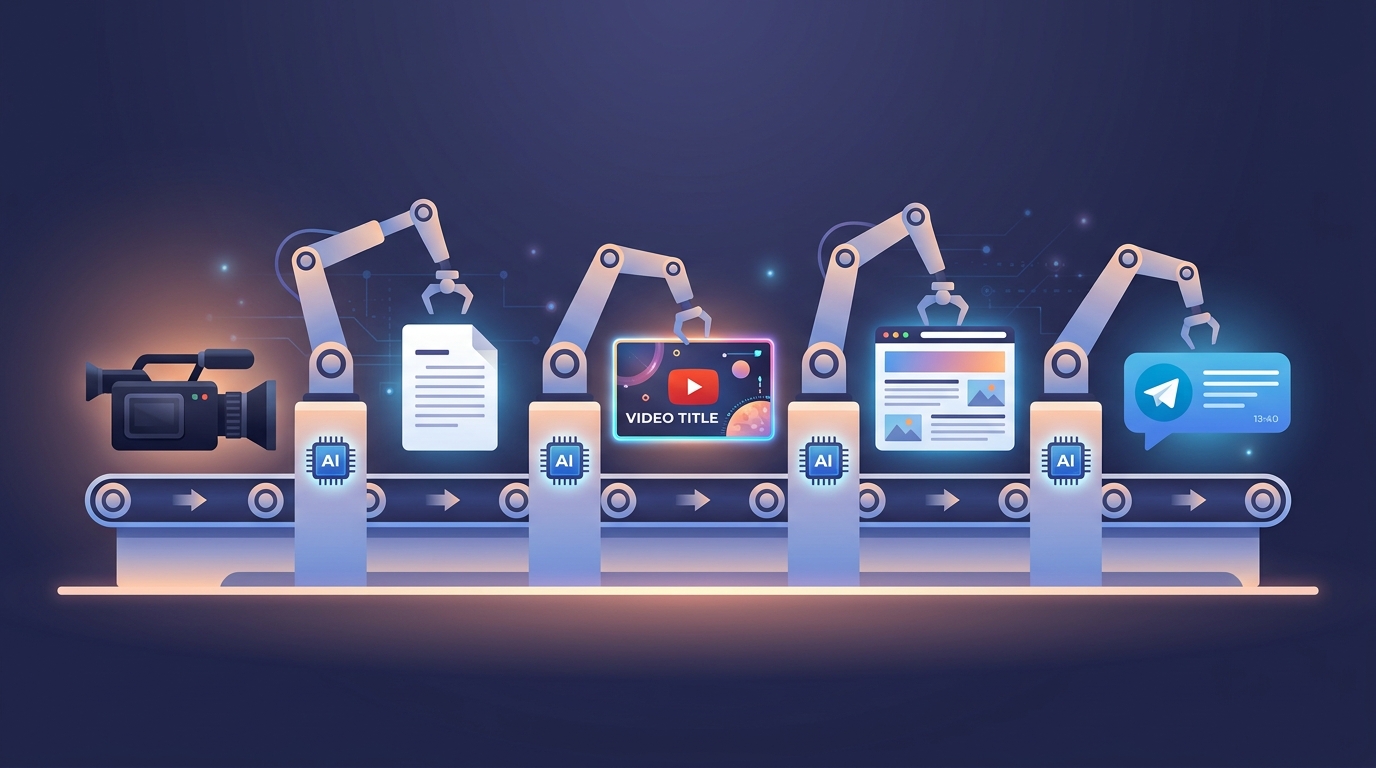
How I Turned a 90-Minute Livestream into 7 Pieces of Content in 20 Minutes
A transcript, one Claude Code session, and zero manual editing. Here is the exact pipeline I used to process my first livestream into a blog post, YouTube chapters, thumbnail, hero image, and Telegram recap.
I just finished my first Learn By Doing Academy livestream. 90 minutes of conversation about AI levels, philosophy, and building websites with agents. The recording was sitting on YouTube with a default title and no description.
Twenty minutes later, I had: a blog post in 5 languages, YouTube chapters with 28 timestamps, a custom thumbnail, a generated hero image, and everything published. I did not write a single word of it manually.
Here is exactly what happened.
The Starting Point
I had two things:
- A YouTube link to the livestream recording
- A transcript from Jamie (an AI meeting transcription tool)
That was it. No notes, no outline, no plan for what content to create.
The Pipeline
I pasted the transcript into Claude Code and said: process this.
Step 1: Content Analysis
The agent read the full transcript and extracted everything: topic transitions, key takeaways, participants, projects mentioned, quotable moments. It identified 28 distinct chapter markers across the 90-minute conversation.
Step 2: Blog Post in 5 Languages
Luna, my content agent, took the analysis and wrote a full blog post. Not a summary, not bullet points, but a proper article with a hook, structured sections, and a call to action. Then it translated the post into German, Spanish, Russian, and Ukrainian. Five files, committed to the blog repository.
Step 3: YouTube Metadata
The agent generated an optimized title, a full description with all 28 chapters as timestamps, 27 tags, and changed the category from Entertainment to Education. It also created social distribution hooks for X/Twitter, LinkedIn, and Instagram.
But there was a catch.
The Timestamp Problem
The transcript tool started recording before the YouTube stream went live. Every timestamp in the transcript was off by 6 minutes and 36 seconds. The agent asked me: "What is the first recognizable moment in the video and its timestamp?"
I told it: "I say hello hello at 6:41."
It found that moment in the transcript at 00:05, calculated the +6:36 offset, and recalculated all 28 chapter timestamps. One question, one answer, all timestamps fixed.
Step 4: Thumbnail
The agent created an HTML file at 1280x720 with a dark purple gradient, bold "10 LEVELS OF AI" text, a progress bar, and a series badge. Chrome captured it headlessly at 2x resolution. I approved it.
Step 5: Hero Image
Here is where I learned something. My first instinct was to reuse the thumbnail as the blog hero image. The agent did exactly that. Then I remembered: blog hero images should be generated with Gemini, not copied from thumbnails. Different purposes, different aesthetics.
The Gemini-generated hero image came out much better: 10 ascending steps with icons for each level, from a chat bubble to a cosmic glow. Atmospheric, not clickable. The right tool for the right job.
Step 6: Upload and Publish
The agent uploaded the metadata and thumbnail to YouTube via the API, committed the blog posts and hero image, and pushed to trigger auto-deploy.
Done.
What I Caught
The pipeline was not perfect. I caught three things:
- A fake URL. The agent invented
web100.devas a link for the Web100 project. That domain does not exist. I had to tell it to remove it from all 7 files where it appeared. - Wrong first chapter. The first chapter said "0:00 Welcome & setup" but the actual welcome was at 6:41. The pre-stream dead time needed its own marker.
- Hardcoded config in the skill. When I turned the workflow into a reusable skill, the agent put Telegram chat links directly in the skill file. Config belongs in the project, not in skills. Skills should be generic and reusable.
All three were caught in conversation and fixed in minutes. But they remind me: you still need to review what agents produce. Trust but verify.
The Reusable Skill
After everything was done, I asked: should this become a skill?
Yes. I now have /process-livestream that captures the entire workflow:
- Calculate timestamp offset between transcript and video
- Analyze transcript for topics, chapters, takeaways
- Generate YouTube metadata with chapters
- Create thumbnail (HTML to PNG)
- Generate hero image via Gemini
- Write blog post in all languages
- Upload to YouTube via API
- Publish blog
- Draft Telegram messages for community chat and personal channel
Next livestream, I paste the transcript and say /process-livestream. The whole thing runs again.
The Meta Moment
I talked about 10 levels of AI in the livestream. Then I used Level 5 (division manager, orchestrating multiple agents across projects) to process the very recording where I explained it.
The content about AI agents was processed by AI agents. The blog post about finding your ikigai was written while I was living mine.
That is the point. The tools should disappear. The philosophy should remain.
Try It Yourself
If you have a recorded livestream or presentation sitting on YouTube with no description:
- Get a transcript (Jamie, Otter, or YouTube's auto-captions)
- Open Claude Code
- Paste the transcript with the YouTube link
- Tell it what you want: blog post, chapters, thumbnail
You do not need my exact setup. You do not need custom skills or agent teams. Just a transcript and a clear instruction. Start at Level 2 (operator) and work your way up.
The Learn By Doing Academy livestream happens every Saturday at 10am Berlin time. Bring a question or a use case, and we will work through it live.
Have thoughts about this post? Let's discuss it on X!

Alösha
Building community platforms, teaching salsa, writing to find my people.
Related Projects
You might also like
What Level of AI Are You On? From Q&A to Ikigai
Most people use AI to ask questions. But there are 10 levels of AI mastery — and the highest one has nothing to do with technology. A recap of Learn By Doing Academy Live Stream #1.
I Built an Executive Team of 6 AI Agents to Manage My 15 Side Projects
How I use Claude Code to run an autonomous AI agent team that handles code review, content, strategy, coaching, and community across 15 projects while working full-time.
The Julia McCoy Method: How to Scale YouTube with AI Avatars
Julia McCoy grew a YouTube channel to 250K subscribers in 18 months using an AI avatar. Here is her exact pipeline — and how I turned it into a reusable Claude Code skill.